by Jonny | Jun 16, 2012 | Updates
In this day and age security is a concern as there are assholes out there who will do anything to find exploits on your site, no matter how small of a site you are running.
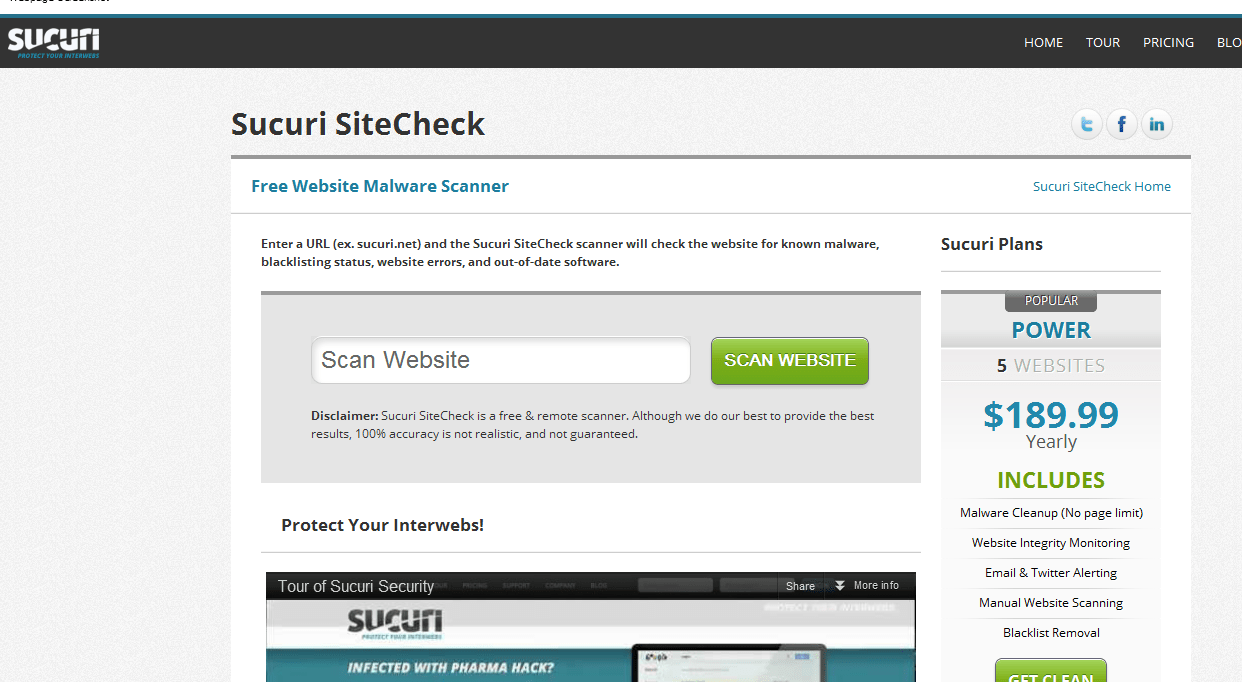
I recently came across an awesome website that details any issues with your site that you may have not noticed. Whether that be a javascript line prompting a java applet/download onto those who visit your website etc.
The website is called:
Sucuri
It successfully located some malware, such as the described one above, on my website. I was finding difficulty tracking it, and then finally solved the issue. Although, I still need to look for any back doors, otherwise if I can’t find any or if this issue prompts up again, I’ll likely have to do a full re-install of WordPress.
I just had to give a shout out to that website as it proved incredibly useful.
by Jonny | Jun 3, 2012 | Updates
I wrote an article about this around two weeks ago, and website security is paramount, especially so when leaving your website unattended for a while. I did this an faced the consequences of having my sites hacked/cracked and I regret neglecting my website in such a way, as it was such a pain to sort this mess out.
I lost a lot of my Google rankings in search results, which hit my traffic big-time, however considering I don’t worry about that much it isn’t much of a problem. However, for others who won’t know how to fix an infected site, it is better to totally re-install whatever script you’ve got installed. For example, most of my websites run on WordPress, and when my sites became infected as I hadn’t updated the latest version, the best thing to do was totally re-install my WordPress installation. – This takes care of the following:
- You can be at ease and know that whatever virus which has infected your site has been removed. So as long as you have totally replaced all your files, other than your images in your WordPress installation.
- You get rid of any back doors the hacker may have injected into your website because of any script vulnerability.
Trust me on this, don’t neglect your website. It is much easier to first take care of your website rather than have to worry about it later, as it will become much harder to ‘fix’ the longer you leave it.

by Jonny | May 20, 2012 | Updates
I’ve recently just experienced something which has inundated my experience as a person who runs websites that are online. Security is a big thing and as soon as you let your guard down, there are people out there who will go out of their way to find ways to exploit websites which haven’t been updated. i.e. Easy targets
Since I’ve been working full-time, my main website armour.ws faced a few attacks from people trying to upload .html files which contained phishing websites, mainly or only to do with banks.
I first noticed this when my web host informed me and when Google also informed me. I’m not surprised at-all if they’ve penalised my website. But all that matters is that I’ve secured my website.
I’ve totally re-installed WordPress on that site, backed up everything again, looked at the MySQL database for any anomalies and I’ve started anew with the design to ensure that it wasn’t the theme/design causing any cracks in terms of security. I’ve also installed a few firewall scripts for WordPress, essentially a tool which will scan all my files for any anomalies.
I just let my guard down, stopped updating my website and suddenly I find myself being attacked. Now things should be okay, but I’ll say something, it would have been a lot easier to keep my site updated from the start. I spent most of the day making modifications, backing up, optimizing the MySQL database and changing a few aspects and fixing a few things on the website itself.
I will also stress, as would other experienced webmasters, MAKE BACKUPS constantly. You never know when you’ll need a backup to help you out of a disastrous situation.